EPFO Passbook 2026: Login, Download & Balance Check
Your EPFO passbook is the official ledger of every rupee deposited into your Provident Fund — your share, your employer’s share, the pension contribution, and the yearly interest. It’s maintained by the Employees’ Provident Fund Organisation and pulled directly from your employer’s monthly ECR filings. Below is exactly how to access it in 2026, how to make sense of what you see, and what to do when it refuses to open.
What the EPFO Passbook Actually Records
Unlike a bank passbook, the EPF passbook isn’t real-time. It updates only after your employer files the Electronic Challan-cum-Return (ECR) and the EPFO ledger posts the entry — usually within 5 to 7 days of the deposit. Each passbook is tied to a specific Member ID, so if you’ve changed jobs, you’ll see a separate ledger for every employer until you complete a PF transfer.
A few categories of members cannot view it online: those under exempted establishments (private PF trusts), settled accounts, and inoperative accounts. If that’s your situation, you’ll need your employer’s internal trust portal or a written request to the regional EPFO office.
How to Access Your EPFO Passbook in 2026
There are three official routes. All of them require an activated UAN seeded with your Aadhaar-linked mobile number.
Method 1 — Official Passbook Portal
This is the most reliable route for downloading a PDF copy.
- Visit passbook.epfindia.gov.in
- Enter your 12-digit UAN, password, and the captcha
- Complete OTP verification on your registered mobile
- Select the Member ID you want to view (one per employer)
- Click View Passbook to see entries, or Download Passbook for a PDF
The downloaded PDF opens without a password — that’s by design.
Method 2 — Passbook Lite (Inside the Unified Member Portal)
Passbook Lite was introduced in late 2025 to solve a long-standing complaint: members had to log in twice — once to the member portal, again to the passbook portal. With Lite, you stay inside one session.
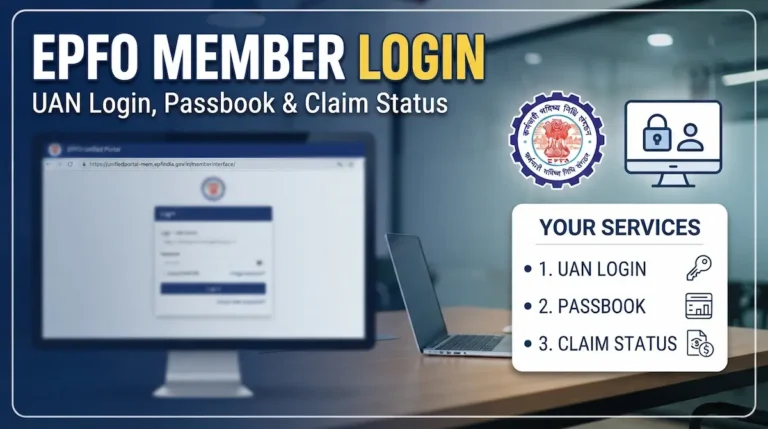
- Log in at unifiedportal-mem.epfindia.gov.in with your UAN and password
- Click View in the top menu, then choose Passbook Lite
- Select your Member ID
It gives a summarised view of contributions and withdrawals — useful for a quick balance check, though for a full transaction history the standalone portal is still better.
Method 3 — UMANG App
For mobile users, UMANG is the cleanest option.
- Open UMANG, search for EPFO
- Tap Employee Centric Services → View Passbook
- Enter your UAN, request OTP, and submit it
- Pick the Member ID and view or download
No Login Needed — Quick Balance Methods
If you only want the closing balance and aren’t fussed about transaction history:
- Missed call: Dial 9966044425 from your UAN-registered mobile
- SMS: Send
EPFOHO UAN ENGto 7738299899 (replace ENG with HIN, TAM, TEL, etc.)
Both work without internet and return your last contribution plus running balance.
How to Read Every Column
This is where most members get lost. Your passbook isn’t one balance — it’s split across three buckets, and the difference matters when you withdraw.
| Column | What it means | Withdrawable? |
|---|---|---|
| Employee Share | Your 12% contribution | Yes, fully |
| Employer Share | Employer’s portion that goes to EPF (3.67% of basic + DA) | Yes, fully |
| Pension Contribution (EPS) | 8.33% of employer’s share, capped at ₹15,000 wage | Partial — pension only, not lump sum |
| Interest | 8.25% for FY 2025–26, credited annually | Yes |
The pension column often looks small for higher earners. That’s because EPS contributions are legally capped at a basic wage of ₹15,000 — meaning a maximum monthly EPS entry of ₹1,250 regardless of your actual salary. A Supreme Court directive may push this ceiling to ₹25,000 later in 2026, but until EPFO issues the notification, the cap holds.
Interest is calculated monthly but credited as a single annual entry after the financial year closes. If you don’t see interest for the current year yet, it’s a timing issue, not an error.
What Your Withdrawable Amount Actually Is
A common mistake: people add up everything and assume that’s their cash-out figure. It isn’t. Your withdrawable PF is Employee Share + Employer Share + accrued interest on both. The EPS column is a separate pension entitlement — you can claim a Scheme Certificate or pension after 10 years of service, but you can’t withdraw it as a lump sum the way you can with PF (small exceptions apply for under-10-year service).
When the Passbook Won’t Open — Real Fixes
Login failures spiked after the October 2025 portal migration. Most issues fall into four buckets.
“Passbook not available for this Member ID”
This message means one of three things: your account is under an exempted trust, the ECR hasn’t been filed yet, or your account is marked inoperative. Check with your HR first — if they confirm contributions are being deposited under a private trust, the EPFO portal will never show entries. You’ll need to ask your trust administrator.
Entries from late 2025 missing
EPFO migrated to a new backend ledger in Q4 2025. Contributions for September and October 2025 took weeks to reflect for many members. Your money isn’t lost — it’s a posting delay, not a deposit failure. Verify with HR that the ECR was filed and the challan was paid. If 45 days have passed since the deposit and entries are still missing, raise a grievance on EPFiGMS (epfigms.gov.in).
OTP not arriving
The most common cause is a mismatch between your UAN-registered mobile and your Aadhaar-linked mobile. Both need to be the same active number. If you’ve recently changed your SIM, update it through your employer or via the member portal’s profile section before attempting OTP login again.
Multiple Member IDs but one isn’t accessible
When you switch jobs, the old Member ID stays visible until you initiate a PF transfer using Form 13. If one Member ID throws an error while others work, it usually means a duplicate UAN was created at one of your previous employers — a known issue that needs UAN consolidation through EPFO.
After a password reset, passbook still won’t open
The member portal and passbook portal run on partially separate systems. After any credential change, allow 6 to 24 hours for the new password to sync to the passbook server. Trying repeatedly during this window can lock the account — wait it out.
When to Raise a Grievance
Don’t rush to EPFiGMS for normal delays. Use it when:
- Contributions are missing more than 45 days after deposit
- Interest hasn’t credited 3 months after the financial year ended
- KYC corrections haven’t been actioned by your employer in over 30 days
- A claim has been stuck “Under Process” beyond 20 working days
Grievances submitted on EPFiGMS get a unique reference number and trigger SMS and email updates. For most everyday issues — slow updates, balance mismatches in the first week of a new contribution — waiting is the right call.